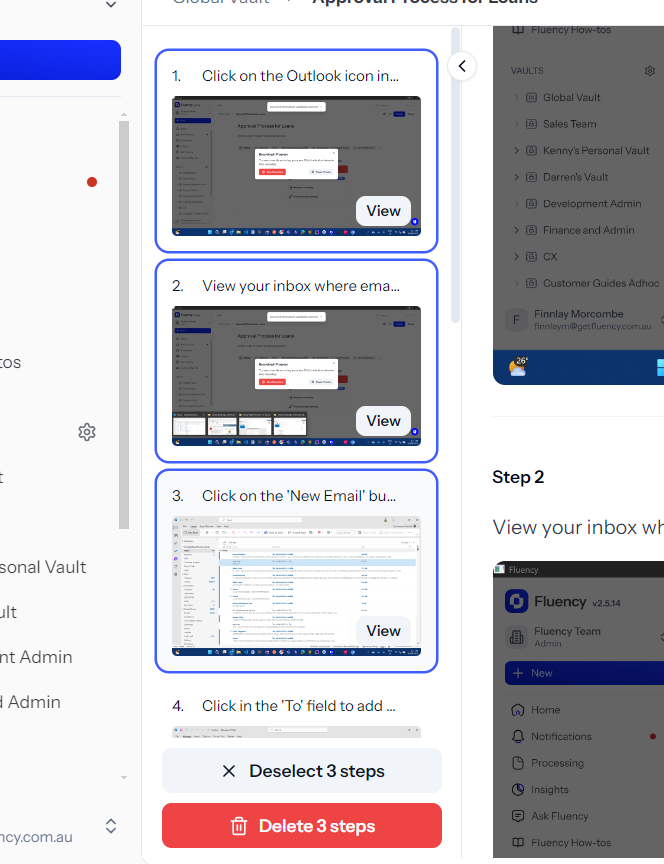
Bulk Step Delete
Last updated: July 9, 2025
If you prefer, you can watch the video walkthrough instead. If not, follow along below.
Fast, flexible cleanup for complex SOPs
Easily manage large or outdated sections of your process with bulk step delete. When in edit mode, open the Document Summary to view all steps at a glance. Use familiar multi-select shortcuts—Ctrl + click for individual steps or Shift + click for ranges—to select and delete multiple steps in seconds.
Key capabilities:
Select multiple steps in the Document Summary
Use keyboard shortcuts for rapid selection
Delete in bulk with one click
Ideal for reorganising, streamlining, or replacing entire segments of your SOP without manual step-by-step edits.