Sharing Documents
Last updated: May 29, 2026
If you prefer, you can watch the video walkthrough instead. If not, follow along below.
Share your Fluency SOPs instantly - securely and in the format that fits your workflow.
How to Share
Open the document
Click the Share button in the upper right corner
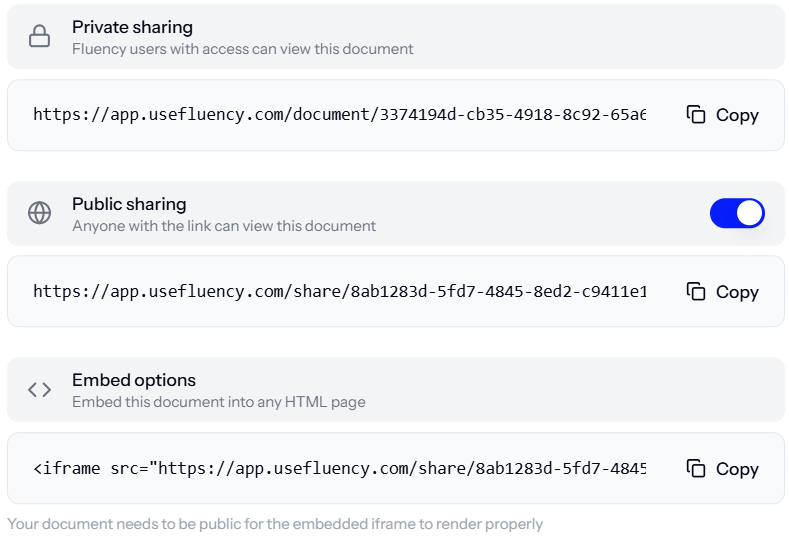
Choose your preferred sharing method
Share Types
Public share link
Anyone with the link can view the document.
Ideal for quick-reference SOPs without sensitive content.Private share link
Restricts access to verified users in your organisation.View permissions are controlled at the Vault and Document level
Recipients must have a Fluency account and be part of your organisation
See [Permissions Guide] for details
Embed
Generates a code snippet for embedding the document in an iFrame.Displays the live version of the public share link
Useful for portals, intranets, or internal wikis
Alternatively, see📄 Exporting Documents for Word, PDF, or Confluence exports.